Top Budgeting Apps for Smarter Money Management 2026
Description
Introduction
Managing money has become more challenging than ever. With rising living costs, multiple subscription services, online shopping, and digital payments, it is easy to lose track of spending habits. This is where Budgeting Apps come into play. They help users organize their finances, monitor expenses, create savings goals, and make informed financial decisions without requiring advanced financial knowledge.
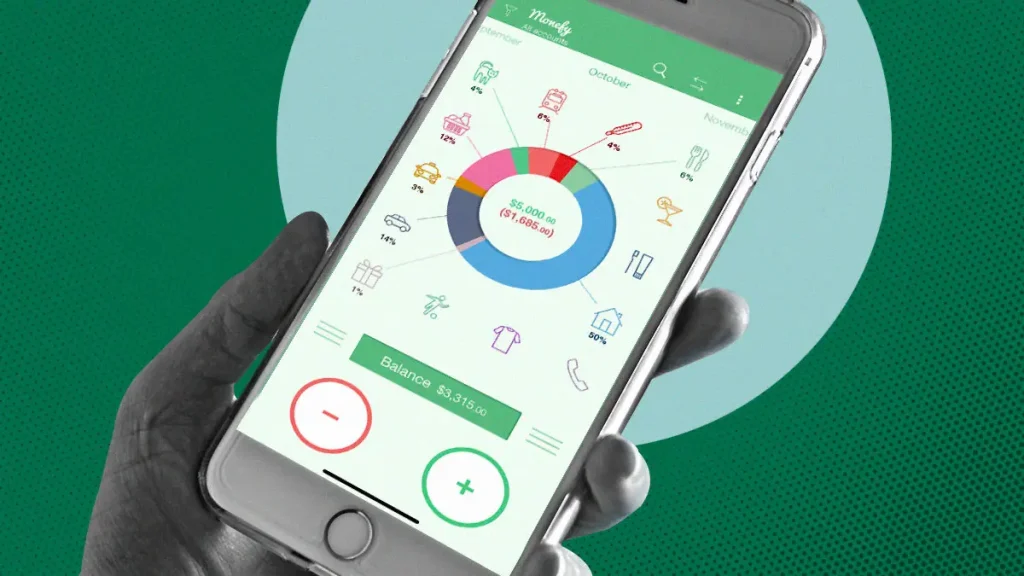
Today, millions of people rely on mobile budgeting tools to improve their financial health. Whether you are a student trying to control monthly expenses, a working professional planning long-term savings, or a family managing household bills, these applications provide practical solutions for every situation. Most modern budgeting applications offer features such as expense tracking, bill reminders, financial reports, investment monitoring, and secure cloud synchronization. Many also integrate directly with bank accounts, allowing users to view all financial information from one dashboard.
The popularity of these apps continues to grow because they simplify money management and encourage responsible spending habits. Instead of manually recording every expense in a notebook or spreadsheet, users can automate the entire process with just a few taps. In this article, we will explore everything you need to know about Budgeting Apps, including their purpose, key features, benefits, drawbacks, download methods, and whether they are worth using in 2026. you may also like Free Antivirus Software
What is Budgeting Apps?
Budgeting Apps are personal finance applications designed to help users track income, monitor daily expenses, plan monthly budgets, and achieve financial goals. These applications are available for Android, iOS, tablets, and desktop platforms. Their main objective is to provide a clear picture of your financial situation. Users can categorize expenses into different sections such as food, transportation, entertainment, utilities, education, shopping, and savings. This makes it easier to identify unnecessary spending and improve financial habits.
Many modern budgeting applications automatically import transactions from connected bank accounts, reducing the need for manual data entry. Others allow users to manually record purchases, making them suitable even for individuals who prefer not to connect their bank accounts.
Some budgeting tools also include advanced financial planning features like debt tracking, investment monitoring, credit score analysis, recurring payment reminders, and financial forecasting. Whether you are saving for a vacation, paying off student loans, or planning retirement, these applications can become valuable companions in achieving your financial objectives.
Gameplay Overview
Although budgeting software is not a traditional video game, many applications use gamification techniques to make financial management more engaging. Users begin by creating an account and entering their financial information, including income, recurring bills, savings goals, and expense categories. Every transaction updates the dashboard automatically, giving users a real-time overview of their financial status.
Many applications reward users with achievement badges, progress bars, spending streaks, milestone celebrations, and weekly financial reports. These small motivational elements encourage consistent budgeting and better financial discipline.
Users can also create customized budgets for different spending categories. When expenses approach the assigned limit, the application sends notifications to help prevent overspending. Over time, users build healthy financial habits by regularly reviewing reports, adjusting budgets, and reaching savings milestones.
Why Users Still Play
Despite the availability of countless financial tools, budgeting applications remain extremely popular because they solve real-life financial problems. One major reason is convenience. Instead of maintaining paper records or complicated spreadsheets, users can manage everything from their smartphones.
Another reason is financial awareness. Daily spending reports help users understand where their money goes each month. This awareness often leads to smarter purchasing decisions and increased savings. Many people appreciate automatic reminders for bills, subscriptions, and loan payments, helping them avoid late fees and maintain good financial standing.
Cloud synchronization allows users to access their financial information from multiple devices without losing important records. Security also contributes to their popularity. Most trusted applications use encryption, biometric authentication, and secure cloud storage to protect sensitive financial information. Finally, many budgeting apps offer free versions with useful features, making them accessible to users regardless of income level.
Key Features
Smart Expense Tracking
One of the strongest features of Budgeting Apps is automatic expense tracking. Users can record every purchase manually or synchronize transactions directly from supported banks. Expenses are categorized automatically, helping users understand spending habits without maintaining complicated spreadsheets. Real-time tracking ensures that financial records remain accurate throughout the month.
Budget Planning Tools
Budget planning allows users to assign spending limits for categories like groceries, transportation, entertainment, shopping, and utilities. Visual indicators show how much of the monthly budget has already been used. Notifications alert users before they exceed their limits, encouraging responsible financial management and reducing unnecessary spending.
Savings Goal Management
Many budgeting applications allow users to create multiple savings goals for different purposes. Whether saving for a vacation, emergency fund, new vehicle, or home purchase, users can monitor progress through visual charts and percentage indicators. These tools make long-term financial planning more motivating and achievable.
Financial Reports and Analytics
Detailed reports transform raw financial data into understandable charts and graphs. Weekly, monthly, and yearly summaries help users identify spending trends, compare previous months, and discover opportunities to reduce unnecessary expenses. Analytics also support better decision-making when planning future budgets.
Bill Reminders and Notifications
Late payments often result in unnecessary penalties. Budgeting applications solve this problem by sending reminders before bills become due. Users receive notifications for utility bills, rent, subscriptions, insurance payments, and loan installments. Automated reminders reduce stress while improving payment consistency.
Data Security and Cloud Backup
Financial information requires strong protection. Most reputable budgeting applications use encrypted servers, secure authentication methods, fingerprint login, Face ID, and cloud backups. These security measures help protect personal financial information while ensuring users can recover their data if they switch devices or accidentally lose their phones.
How to Play
Although budgeting applications are not traditional games, using them effectively requires following a simple process. Consistency is the key to achieving better financial results.
- Download a trusted budgeting application from the official app store.
- Create your personal account using your email address.
- Set up your monthly income and expected expenses.
- Add spending categories such as food, transport, shopping, entertainment, and utilities.
- Record every expense manually or connect your supported bank account.
- Create realistic monthly spending limits.
- Set savings goals for future purchases or emergencies.
- Review your financial dashboard every day.
- Check weekly and monthly reports to monitor your progress.
- Adjust your budget whenever your income or expenses change.
How to Download
Downloading a budgeting application is quick and simple on both Android and iPhone devices.
- Open the Google Play Store or Apple App Store.
- Search for your preferred budgeting application.
- Read the ratings and user reviews.
- Verify that the developer is trustworthy.
- Tap the Install or Get button.
- Wait for the installation to finish.
- Launch the application.
- Register your account.
- Configure your financial preferences.
- Start tracking your income and expenses immediately.
Advantages
Using a budgeting application offers many benefits for individuals and families.
- Easy to monitor daily spending.
- Helps create better financial habits.
- Supports monthly and yearly budget planning.
- Encourages regular savings.
- Provides visual reports and spending charts.
- Sends bill payment reminders.
- Reduces unnecessary expenses.
- Saves time through automatic expense tracking.
- Allows access from multiple devices using cloud synchronization.
- Many excellent applications offer free versions.
Disadvantages
Despite their usefulness, budgeting applications also have a few limitations.
- Premium features often require a paid subscription.
- Some applications require internet access.
- Bank synchronization is unavailable in certain regions.
- Manual expense entry can become time-consuming.
- Notifications may feel excessive for some users.
- Data privacy depends on the application’s security practices.
- Learning advanced features may take time.
- Some applications display advertisements in their free versions.
Disclaimer
This article is provided for informational and educational purposes only. Budgeting applications are tools designed to assist with personal financial management, but they do not guarantee financial success or savings. Financial results vary depending on income, spending habits, and personal discipline.
Before connecting your bank account to any application, always review its privacy policy, security measures, and terms of service. Choose reputable developers and use strong passwords and two-factor authentication whenever available. Always make important financial decisions based on your personal circumstances or consult a qualified financial advisor if necessary.
My Review
After exploring various budgeting applications, I believe they are among the most practical productivity tools available today. Their biggest strength is simplicity. Instead of guessing where your money goes each month, they provide clear reports, organized categories, and useful insights that make budgeting much easier.
The automatic tracking features save time, while spending alerts help users avoid exceeding their monthly limits. Savings goals and financial reports also provide extra motivation to improve money management habits.
Although some premium subscriptions can be expensive and certain advanced features require a learning period, the overall experience is highly positive. Even free versions offer enough functionality for most users to build better financial discipline. Overall, Budgeting Apps are an excellent choice for students, professionals, freelancers, and families who want to take greater control of their finances without dealing with complicated spreadsheets.
FAQs
Are Budgeting Apps safe to use?
Most reputable budgeting applications use encryption, secure authentication, and cloud backups to protect user data. Always choose trusted developers and enable additional security features whenever possible.
Do I need to connect my bank account?
No. Many applications allow manual expense tracking if you prefer not to link your bank account. However, bank synchronization provides automatic transaction updates and saves time.
Are budgeting applications free?
Many budgeting tools offer free versions with essential features. Premium subscriptions usually unlock advanced reports, investment tracking, additional budgeting tools, and family sharing options.
Can I use budgeting apps offline?
Some applications allow offline expense recording. Once an internet connection becomes available, your data is synchronized with cloud storage automatically.
Who should use budgeting applications?
Anyone who wants to improve money management can benefit from budgeting applications. They are suitable for students, employees, freelancers, business owners, and families.
Can budgeting apps help me save money?
Yes. By tracking expenses, identifying unnecessary spending, setting savings goals, and providing regular financial reports, these applications encourage smarter financial decisions and consistent saving habits.
Conclusion
Managing personal finances no longer has to be stressful or complicated. Modern Budgeting Apps provide practical solutions for tracking expenses, organizing monthly budgets, monitoring savings, and improving financial awareness. Their user-friendly interfaces, automated features, and detailed reports make them valuable tools for people with all levels of financial experience.
Whether your goal is to reduce unnecessary spending, build an emergency fund, eliminate debt, or simply understand where your money goes each month, a reliable budgeting application can make the process significantly easier. While premium subscriptions and privacy considerations should always be evaluated carefully, the overall advantages greatly outweigh the limitations.
Choosing the right budgeting app depends on your financial needs and personal preferences. With regular use and consistent budgeting habits, these tools can help you build a healthier financial future and achieve your long-term money goals with greater confidence.